AperioFlow records every change: who made it, what changed and when, and whether it came from the web app or the API.
Open the activity log
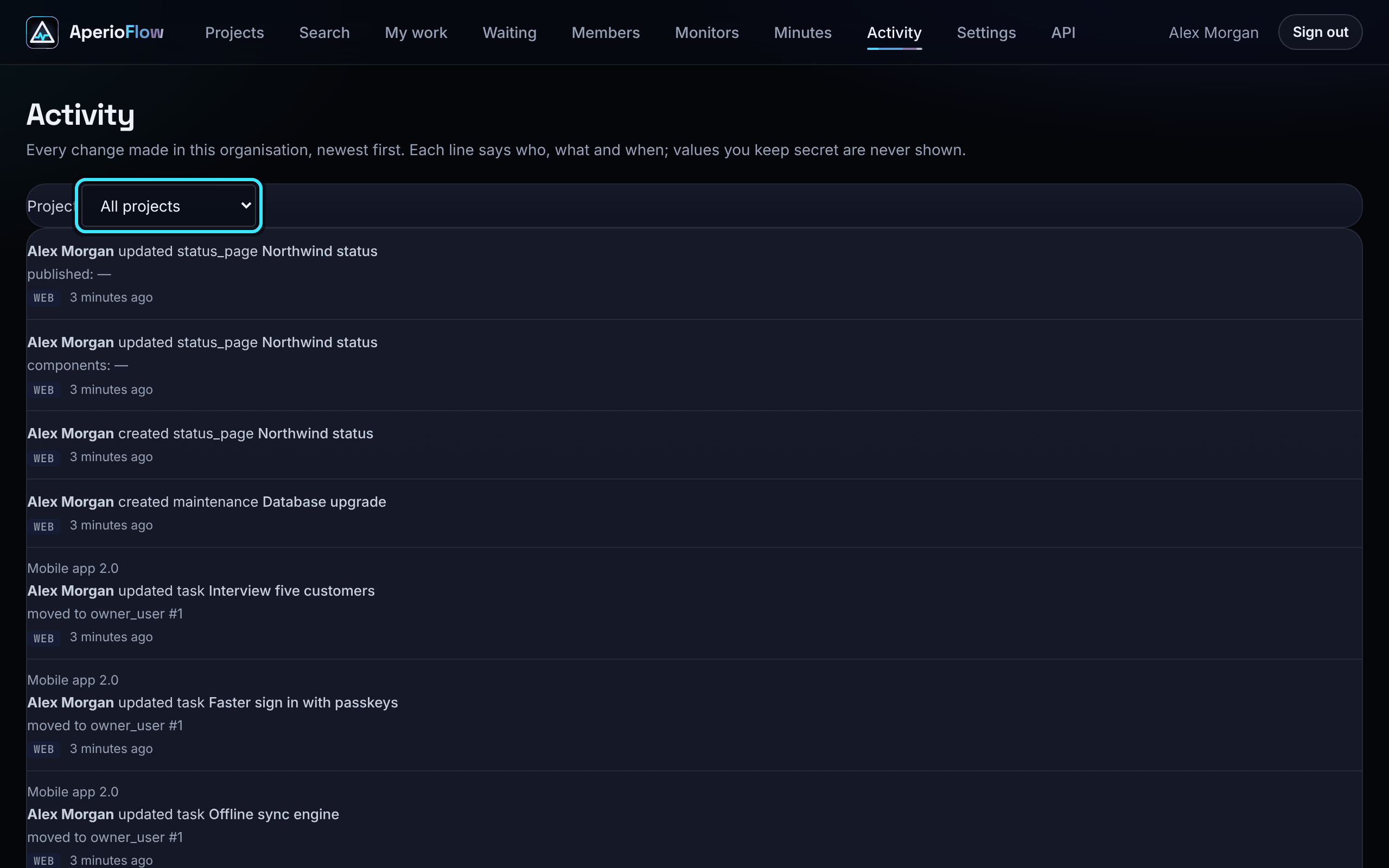
Activity in the main menu shows every change in the organisation, newest first, 50 at a time. It is for admins and owners; others see "Only admins and owners can open the activity log."
- Choose a project under Project to see only its changes.
- Choose Older to page back, and Back to the newest to return.
Each project page also shows its own latest 40 changes in the Activity column.
What each line says
A line says who acted, what they did (created, updated or deleted) to which item, and a detail such as "To do -> Done", "moved to Design", "description edited" or "issue ingest key rotated". A chip says whether it came from the Web or the API.
- Changes made with an API key show as your name "via" the key's label.
- Changes made by an AI assistant show as your name "via Claude" (or the assistant's name).
- Values you keep secret, such as keys and passwords, are never shown, and comments are recorded without their text.
The activity log is kept for as long as the organisation exists.