Reported errors become issues, one per kind of error, shown on the project they were sent to and across all projects on the Projects page.
Watch the video: Errors and issues
The Issues panel on a project
Each project page starts with its Issues panel. Tabs show Open, Resolved, Ignored and All, each with a count; the panel opens on the tab you used last.
Each issue shows its level (Fatal, Error, Warning or Info), title, route, platform and environment, how many times it has happened and when it was last seen. Choose an issue to see:
- when it was first and last seen, the URL, release and user agent;
- the latest event's message and stack trace;
- links sent in
context.links, and the rest of the context; - the earlier events kept (up to 50 in all).
A project that has never had an issue shows "No errors reported yet" with Set up reporting.
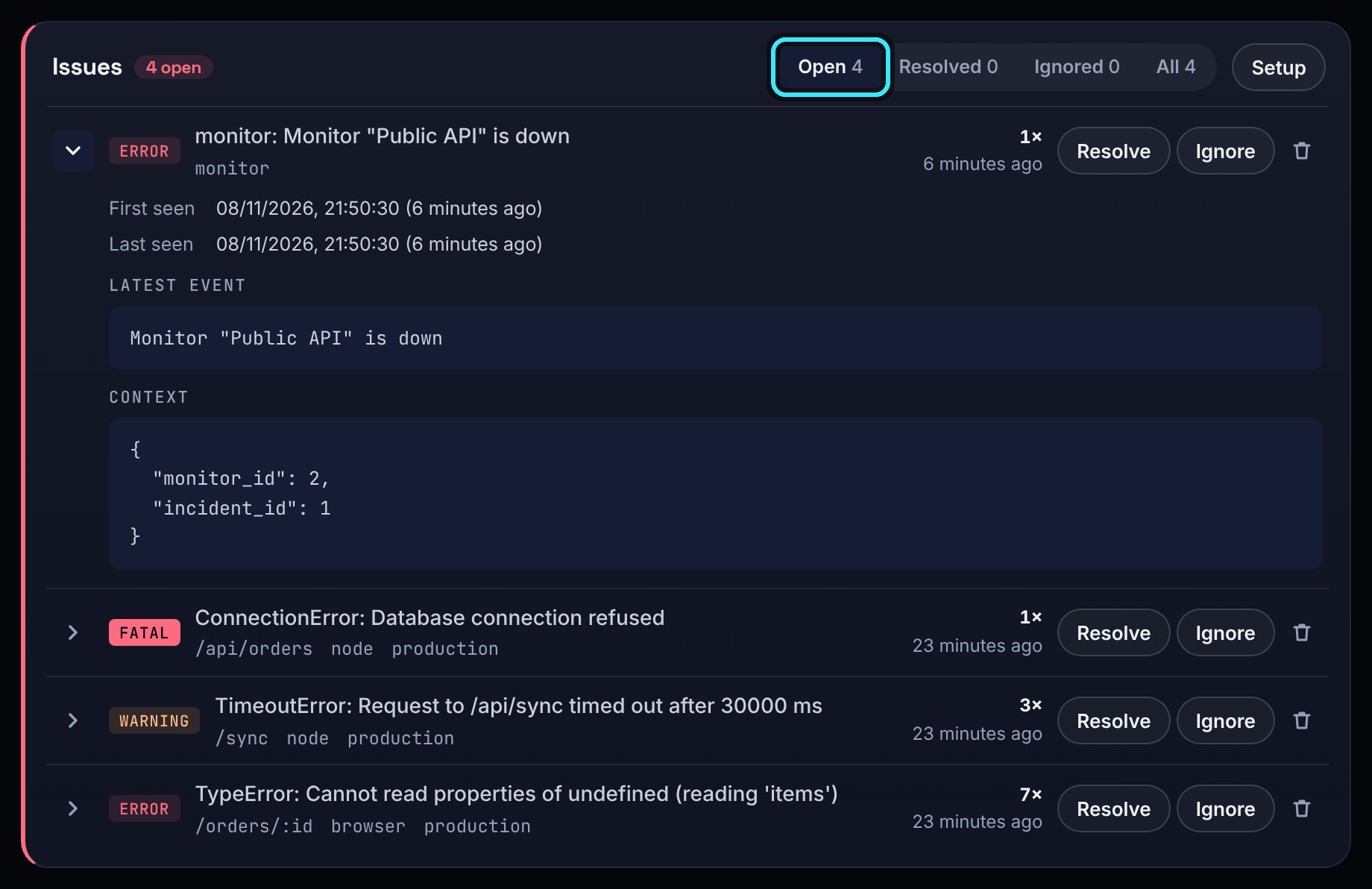
Resolve, ignore, reopen or delete
- Resolve when it is fixed. If the error happens again the issue reopens by itself.
- Ignore an issue you do not want to act on. It stays ignored but keeps counting.
- Reopen puts a resolved or ignored issue back to open.
- Delete (the bin) removes the issue and its events. It comes back if the error happens again.
Members, admins and owners can change and delete issues. Through the API you can change up to 500 at once.
The issue card
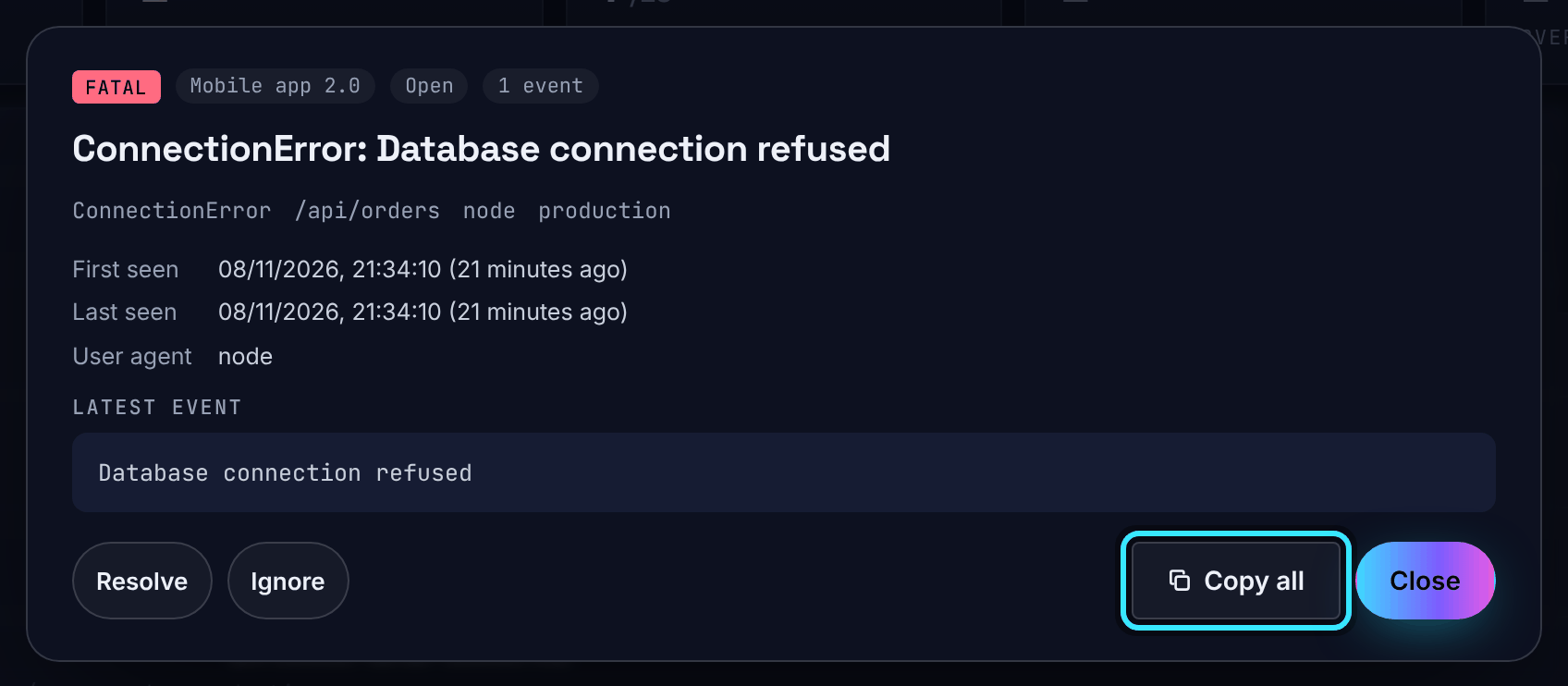
Choose an issue in Errors & Issues on the Projects page to open its card: the level, project, status, number of events and the full detail. From the card you can Resolve, Ignore or Reopen, or choose Copy all to copy a plain-text report of the issue (project, IDs, times, route, release, stack, context and earlier events) to paste into a ticket or a chat with an AI assistant.
Security alerts
Alerts from the CrowdSec security engine are kept apart, in a folded Security alerts panel on the project, so scanner noise never crowds out real errors. They send no notifications and are left out of issue counts and the Projects page.
GitGuardian secret alerts
GitGuardian can report secrets found in your repositories straight into AperioFlow:
- An owner pastes GitGuardian's signature token under Settings, Secrets (GitGuardian signature token).
- Copy the Webhook address from Settings, GitGuardian into a custom webhook in GitGuardian.
- Each GitGuardian incident becomes one issue ("Security: GitGuardian <detector> in <repository>") in the project whose repository link matches, or in the project chosen under Project for repositories no project claims (a "Security alerts" project is made when needed).
Open critical and high incidents are errors, the rest warnings, and the issue's status follows GitGuardian's. The secret itself is never stored, and GitGuardian alerts do not count towards your monthly error events.
Coolify notifications as issues
Coolify can send its own notifications (failed deployments, failed backups, an unreachable server, disk usage, restart limits, failed scheduled tasks) to AperioFlow, where each becomes an issue. See Coolify.
Be told about new issues
Turn on Enable alerts in the top bar on each computer, phone or tablet that should be told. A device then gets a push notification when a new fatal, error or warning issue is reported, or a resolved one comes back. Info issues and security alerts stay quiet. See Notifications.