Two pages collect tasks from every project in one place.
My work
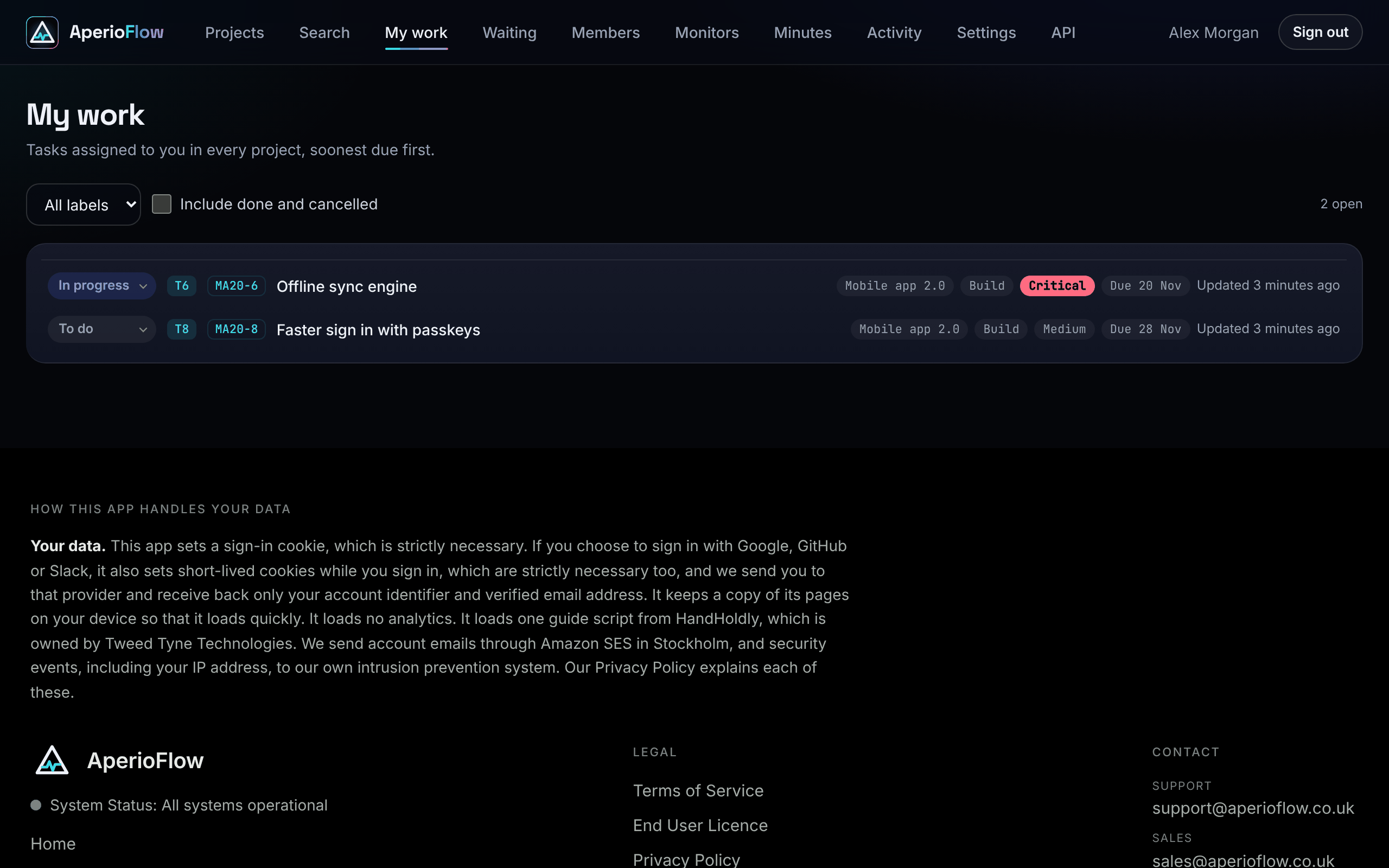
My work in the main menu lists the tasks assigned to you in every project, soonest due first.
A task is yours when its owner is linked to your member account: in the task editor, the owner was chosen from the member names (or typed exactly as your name). A task whose owner is plain text that does not match a member is not linked to anyone. When someone joins the organisation, tasks whose text owner matches their name are linked to them.
- Change a task's status from its row.
- Filter by label, and tick Include done and cancelled to see finished work too.
- Each row shows the project, the phase or section, the priority and the due date (overdue dates are marked).
If nothing is assigned to you, the page says "Nothing assigned to you". Set yourself as a task's owner and it shows up here.
Waiting
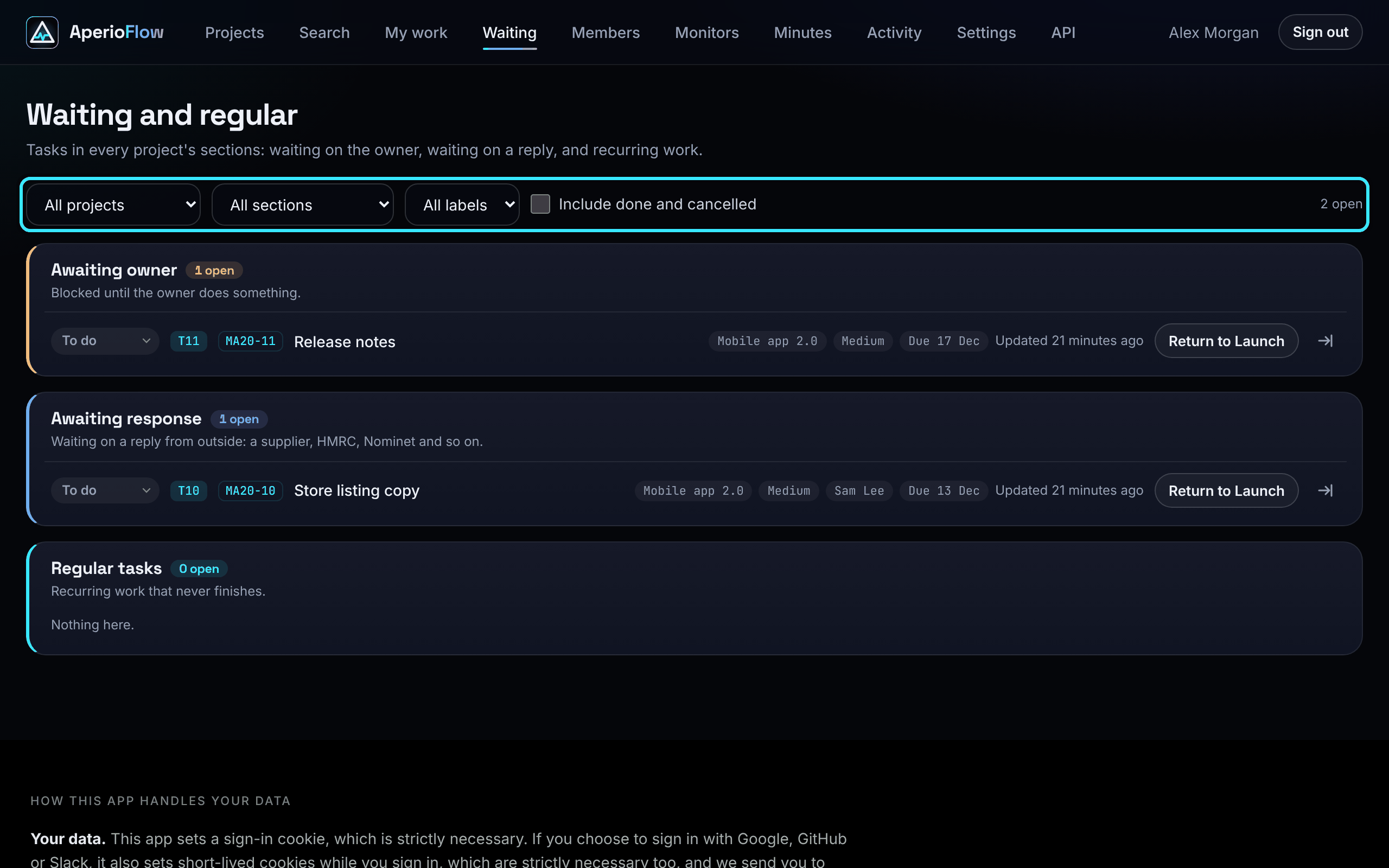
Waiting lists the tasks in every project's waiting and regular sections: Awaiting owner, Awaiting response and Regular tasks, with the open count of each.
- Narrow it with All projects, All sections and, when you have labels, All labels.
- Tick Include done and cancelled to include finished tasks; by default only open tasks are shown.
- Each row has a status menu, the project, priority, owner, due date, labels, Return to (when the task came from a build phase) and the move icon.
Your filters on both pages are remembered in this browser.
When to use the sections
Use Awaiting owner for work that cannot move until the project's owner decides or does something, Awaiting response for work waiting on someone outside your organisation, and Regular tasks for jobs that come round again and never finish, such as a monthly backup check. Because sections are left out of progress, your build phases show how far the real work has got. See Phases, tasks and subtasks.